How to use Reverse Image Search Anywhere
Every way to search an image, from the basics to the tricks incumbents can't do.
Try it right now
Search this image
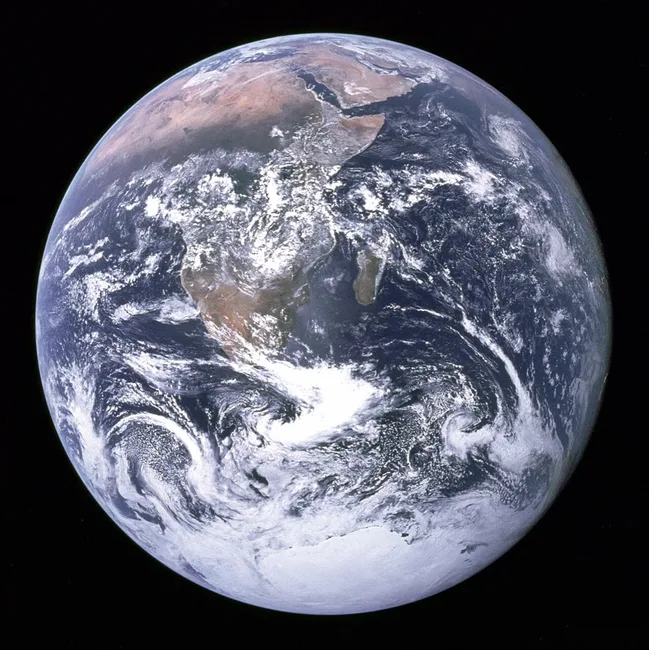
Right-click this photo and choose Reverse Image Search Anywhere to try the extension — pick a single engine or All engines at once. It's a real, widely-published image, so every engine returns matches.
Photo: NASA “The Blue Marble” (public domain).
1. Right-click any image
Right-click an image and choose Reverse Image Search Anywhere. Pick a single engine (Google Lens, Yandex, Bing Visual, TinEye) or All engines to open them side by side. You can set your default engines and their order from the toolbar popup.
2. Pick the right engine for the job
-
 Google Lens — visually similar images, products, general lookups.
-
 Yandex — the best for faces and people.
-
 Bing Visual — solid general results and text-in-image (OCR).
-
 TinEye — exact copies and where an image first appeared.
3. Search this face
Use Search this face to send the image to Yandex first (then Google Lens and Bing Visual). Optionally drag the crop box around a single face for better hits in group photos. See the face search guide for more.
Please use responsibly — for verifying sources, spotting fakes and finding image origins, not for harassment. See our terms.
4. Paste an image
Copied an image? Open the toolbar popup and press Ctrl/⌘ + V to search it directly.
5. Capture a region
Choose Capture region and drag a rectangle over any part of the page — handy for isolating a logo, a product, or one face — and we'll search just that crop.
6. Search where URLs fail (Instagram, Pinterest, canvas)
Some sites hide the real image URL, so a normal reverse search comes up empty. On those, choose All engines (upload — Instagram/Pinterest): we securely upload just that one image to get a temporary link, then run every engine on it. That link expires after 15 minutes, and once it does nobody can reach the file. The file itself is deleted from our storage automatically, about a day after it arrives, and it's never used for anything else. See the dedicated guide to reverse image search on Instagram & Pinterest.
Takes about 20 seconds. No account needed.
Choose your browser store
Firefox
Add to Firefox- 1 Open the Firefox Browser Add-ons listing.
- 2 Click Add to Firefox, then confirm the installation.
- 3 On desktop, right-click any image on a page and choose Reverse Image Search Anywhere.
- 4 On Android, open the Firefox menu, tap Extensions, then tap Reverse Image Search Anywhere.
Firefox 140+ · Firefox for Android 142+
Chrome / Edge
Add to Chrome- 1 Open the Chrome Web Store listing.
- 2 Click Add to Chrome, then Add extension in the confirmation dialog.
- 3 Right-click any image on a page and choose Reverse Image Search Anywhere.
Works on Chrome and Edge.
Safari is not currently supported.
What permissions it asks for — and why
- Read and change data on websites you visit
- Needed to read the image you right-click, and to draw the region-capture box. We only ever act on the image you choose — never in the background.
- Manage your context menus
- Adds search commands under the “Reverse Image Search Anywhere” right-click menu.
- Storage
- Remembers your engine choices and settings, synced to your browser account.
See our privacy policy for exactly what is (and isn't) collected.
Frequently asked questions
How do I reverse image search in Chrome?
Install Reverse Image Search Anywhere, then right-click any image and choose “Reverse Image Search Anywhere” — pick one engine or “All engines” to open Google Lens, Yandex, Bing and TinEye at once.
How do I reverse image search on Instagram or Pinterest?
Right-click the image and choose “All engines (upload — Instagram/Pinterest)”. Because those sites hide the real image URL, the extension securely uploads the image so every engine can read it.
How do I search for a person by photo?
Use “Search this face”, which sends the image to Yandex first — the strongest engine for finding people — then Google Lens and Bing.
Can I search an image I copied or a part of the page?
Yes. Paste a copied image with Ctrl/⌘+V in the popup, or choose “Capture region” and drag a rectangle to search just that crop.
Why did a search come up empty on Instagram/Pinterest?
Those sites hide the real image URL. Use “All engines (upload — Instagram/Pinterest)” — we securely upload just that image so the engines can read it via a link that expires in 15 minutes, and once it does nobody can reach the file. It's deleted automatically about a day after it arrives. More on reverse image search for Instagram.
Do you see my images or browsing?
No. Normal searches go straight from your browser to the engine. Only an opt-in upload-search touches our servers, and the link to that image expires in 15 minutes — after that, nobody can reach it. The file itself is deleted automatically about a day after it arrives.
Can I choose which engines appear?
Yes — open the toolbar popup to toggle and reorder engines, and to add custom ones.
Does it work in Firefox or Safari?
Firefox is supported on desktop and Android, and Chrome and Edge are supported through the Chrome Web Store. Safari is not currently supported.
Stuck on something?
support@reverseimage.app